Migration Appliance
The RiverMeadow migration appliance is a virtual appliance (virtual machine) that is deployed to an HVM cluster. The appliance is responsible for local migration orchestration operations such as provisioning HVM instances via the Morpheus REST API. The migration appliance communicates with the RiverMeadow hosted platform using an outbound initiated connection over 443/TCP.
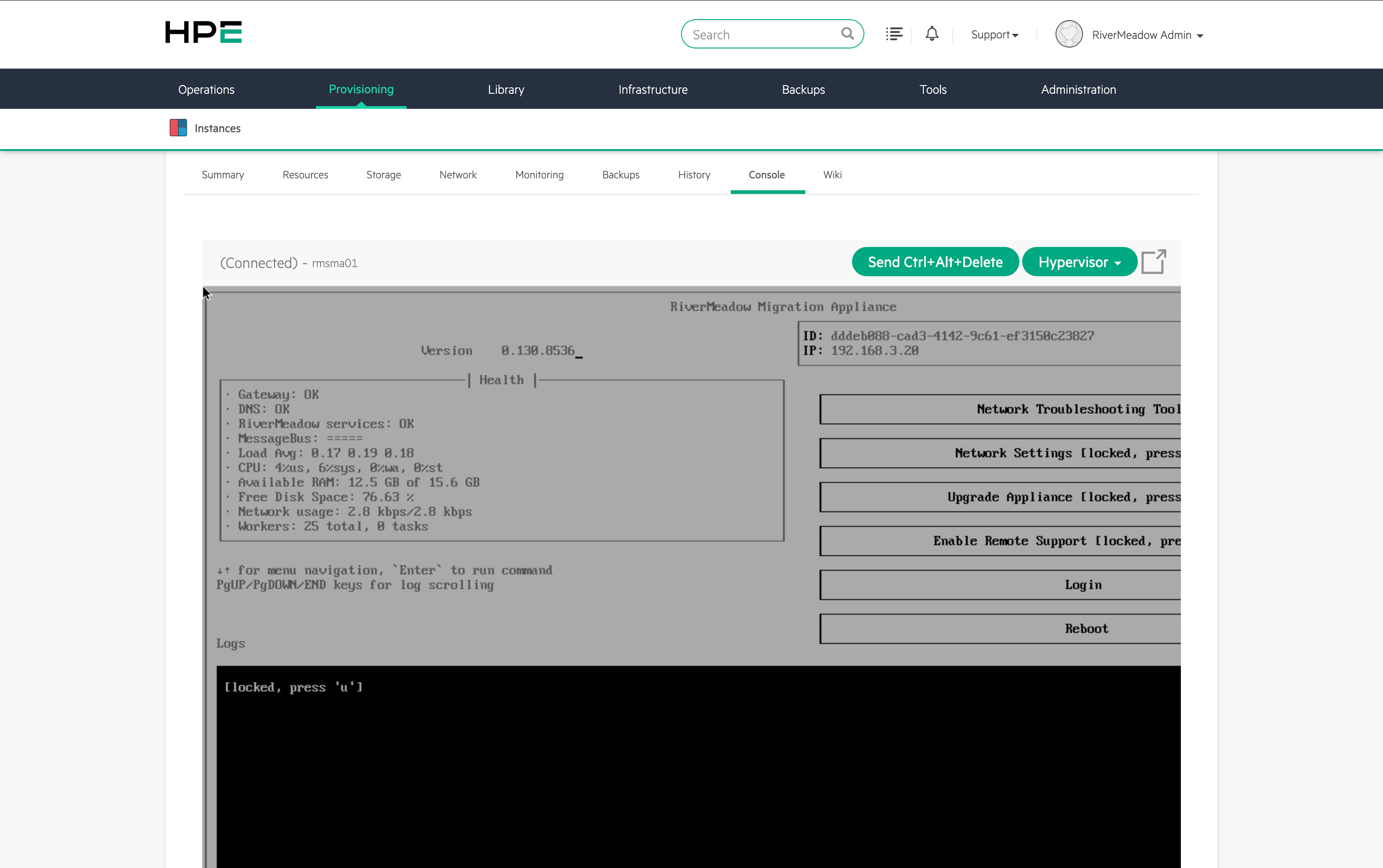
Hardware Requirements
The virtual appliance requires the following hardware configuration:
- CPU: 2 Cores
- Memory: 16 GB
- Disk Space: 32 GB
Appliance Download
The migration appliance is a virtual appliance packaged as a QCOW2 image file that is downloaded from the RiverMeadow web portal and deployed to an HVM cluster in the target environment.
Appliance Configuration
The configuration settings for the RiverMeadow migration appliance are defined using a YAML file that is associated with the migration appliance during instance deployment. The configuration data is defined in the cloud-init user data associated with the HPE Morpheus VM Essentials virtual image used to deploy the migration appliance instance.
Secure Credential Handling (Cypher Secret)
The credentials for interacting with the Morpheus REST API enable privileged access to the platform and should be securely handled to avoid exposure. The credentials can be securely stored in the native VM Essentials secrets management solution (Cypher) to avoid the credentials being exposed in plain text in the user interface. Once the secret is created in Cypher, it can then be referenced in the appliance configuration settings to avoid cleartext passwords.

The secret is referenced within the cloud-init user data using the cypher format <%=cypher.read('secret/rivermeadowsa')%>. Additional details can be found in the HPE documentation (https://support.hpe.com/hpesc/public/docDisplay?docId=sd00006453en_us&page=GUID-25C0F475-27A2-4C0A-BF2B-76EE20F51F7A.html&docLocale=en_US).
Configuration Settings
The general configuration settings for the migration appliance that apply to os based and vm based migrations.
| Name | Details |
|---|---|
| url | The URL of the HPE Morpheus VM Essentials manager. Using the IP address of the manager ensures that DNS resolution of the manager does not cause any potential issues. |
| username | The username of the user account used to authenticate to the HPE Morpheus VM Essentials manager. |
| password | The password of the user account used to authenticate to the HPE Morpheus VM Essentials manager. |
| token | The auto-populated token used by the migration appliance to authenticate to the RiverMeadow platform. The token is unique to each migration appliance. DO NOT EDIT |
Example Config
The following is an abbreviated example configuration file for configuring the migration appliance.
#cloud-config

# Description of the configuration parameters for the appliance

# NOTE: YAML only supports *straight* single or double quotes.
#       Curly quotes should not be used.
# Following entries configure HPE Morpheus API connection details
# URL format examples (if a port is not specified, 443 is assumed):
#   https://abc.com:443
#   https://abc.com
#   url
#   username
#   password
url: 'https://172.16.200.10'
username: 'admin'
password: 'password'

token: eJzDwoaXDIq1r8gOlajyn2SqrMsTiPCq...
Virtual Image
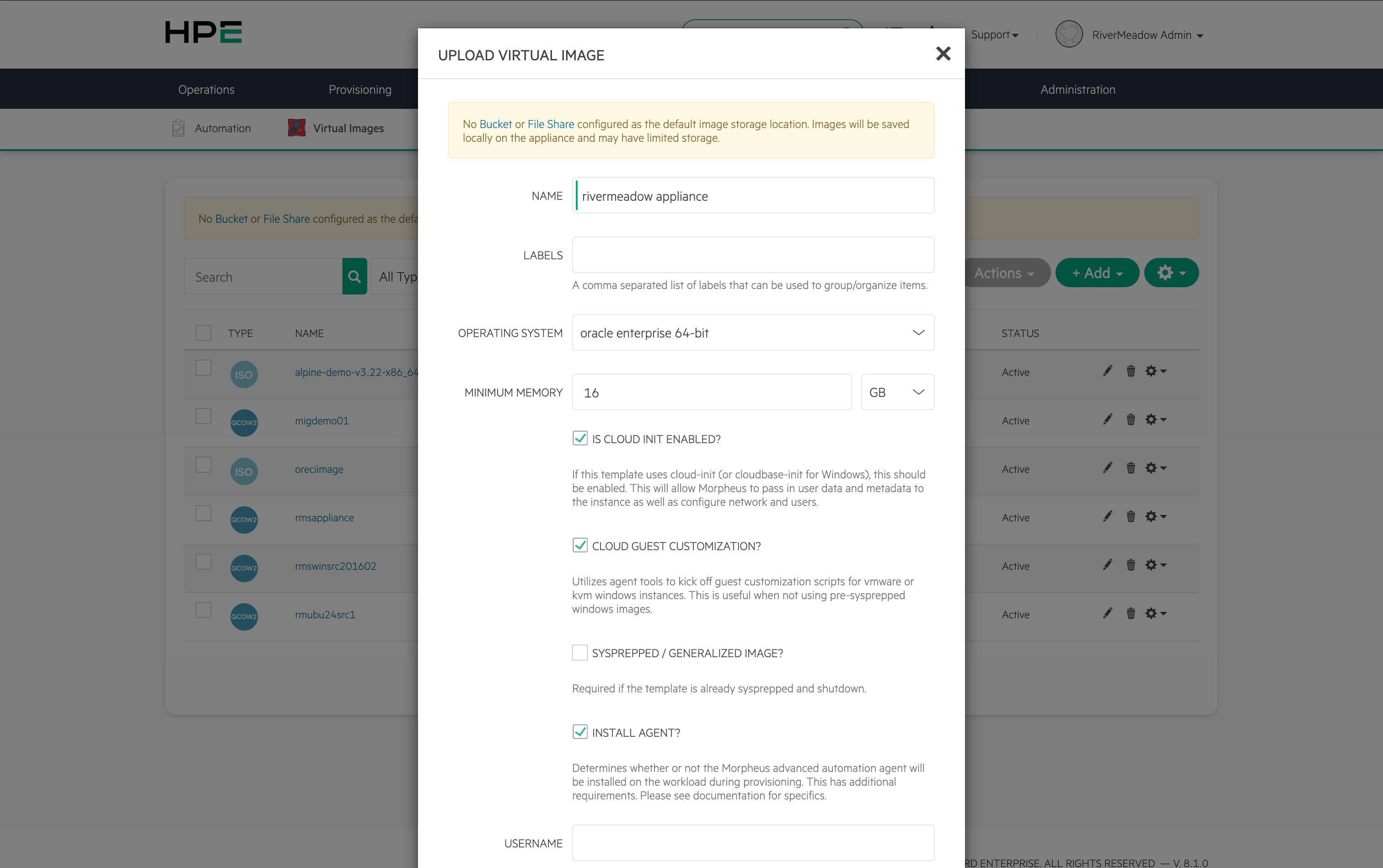
The migration appliance is deployed from a virtual image within the HPE Morpheus VM Essentials deployment. The virtual image is created from the QCOW2 image downloaded from the RiverMeadow platform. Additional details on the specific virtual image settings can be found in the RiverMeadow HPE Morpheus VM Essentials documentation.
IP Addressing
The network configuration for RiverMeadow migration appliance is managed by cloud-init during the appliance boot process. HPE Morpheus VM Essentials supports passing network configuration data to instances during the provisioning process. The following IP address assignment methods are supported by the migration appliance.
- DHCP
- Static
- Native IP Pool
- 3rd Party IPAM
The RiverMeadow migration appliance can be assigned a dynamic IP address during instance provisioning if there is a DHCP server available on the network where the appliance is being deployed.

The RiverMeadow migration appliance can be assigned a static IP address during instance provisioning by explicitly assigning an IP address to the network interface. The IP address is populated in the text box next to the network drop-down in the HPE Morpheus VM Essentials web interface.
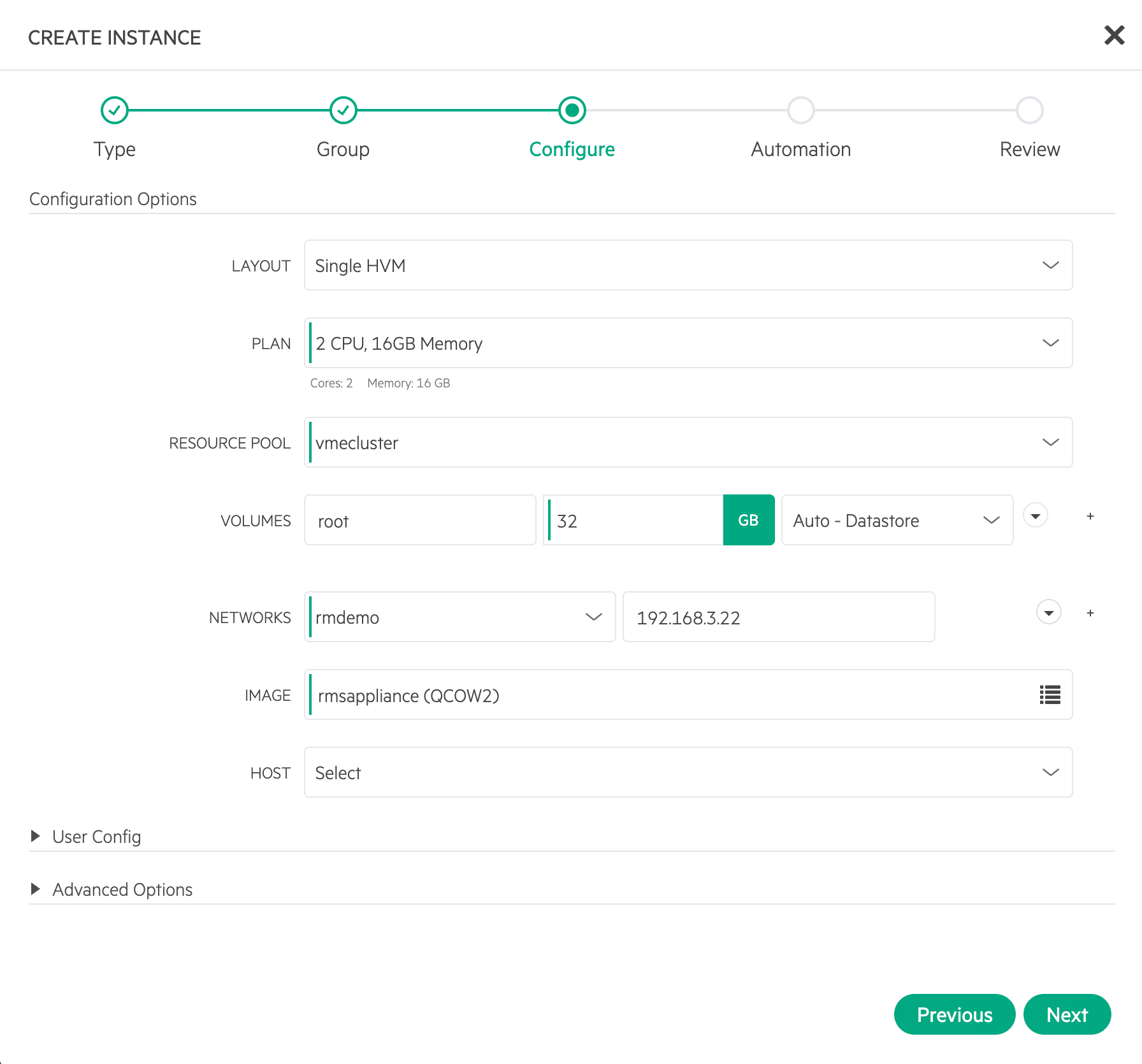
The subnet mask, default gateway, and DNS servers must be assigned to the network that the migration appliance is being deployed.
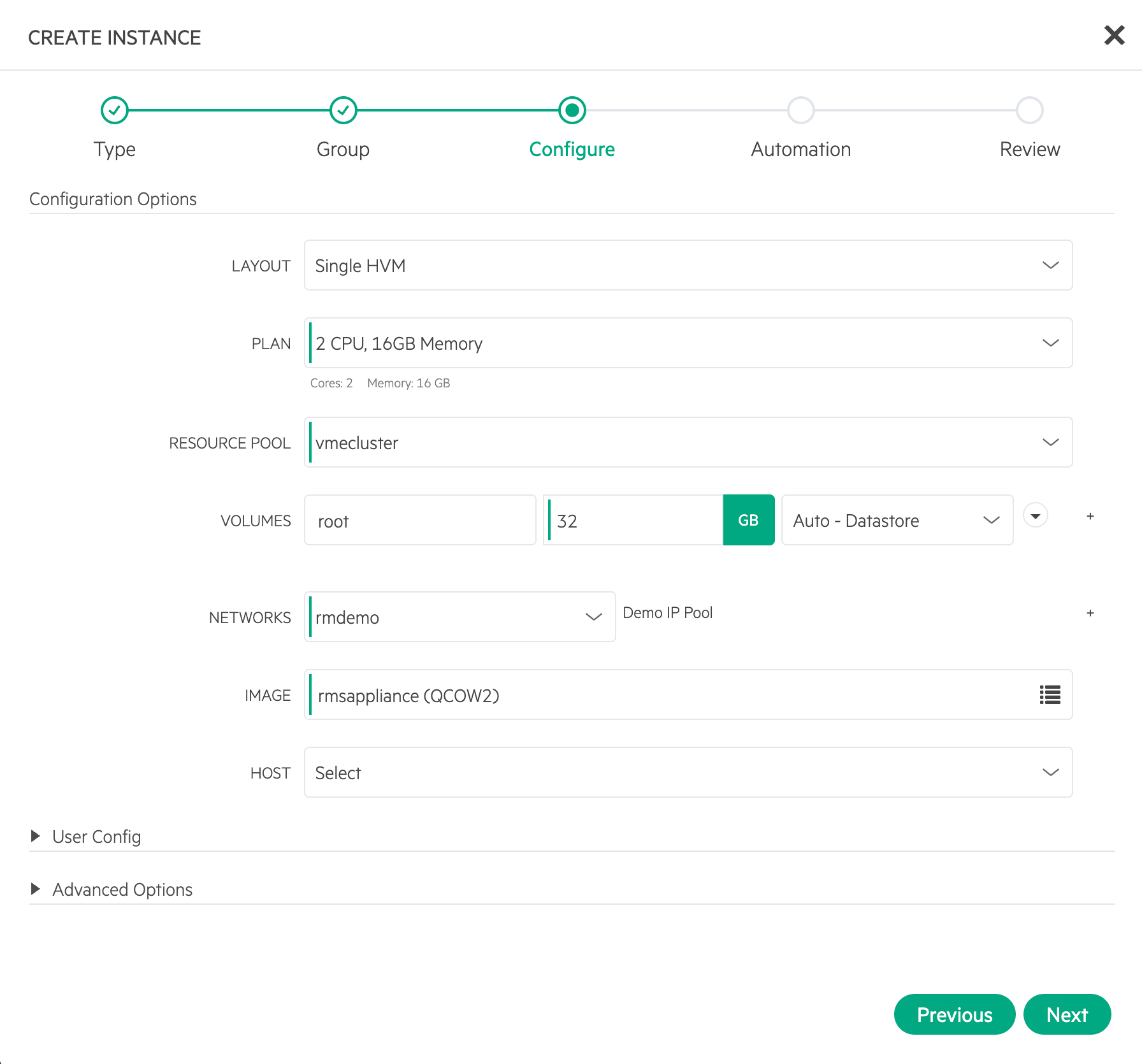
HPE Morpheus VM Essentials supports managing IP addresses using native IP pools that allow administrators to define a range of IP addresses that will be allocated to instances during the provisioning process. Selecting the VM Essentials network with an associated IP pool is the only configuration required during the instance provisioning process.
The subnet mask, default gateway, and DNS servers must be assigned to the network that the migration appliance is being deployed.
HPE Morpheus VM Essentials supports integrating with 3rd party IPAM solutions such as BlueCat, InfoBlox, PHPIpam and others to automate the management of IP addresses for provisioned instances.
The subnet mask, default gateway, and DNS servers must be assigned to the network that the migration appliance is being deployed.
Multiple Migration Appliance Use Cases
A single RiverMeadow migration appliance supports the majority of common use cases of server migrations to HPE Morpheus VM Essentials. There are scenarios where additional migration appliances would need to be deployed to meet the specific requirements.
- Multiple VM Essentials Managers: In an environment where there are multipled HPE Morpheus VM Essentials manager appliances that are deployed, there would need to be multiple RiverMeadow migration appliance deployed. The RiverMeadow migration appliance is tied in a 1:1 manner with an HPE Morpheus VM Essentials manager as only one HPE Morpheus can be integrated with a migration appliance.
- Granular Role Based Access Control: The RiverMeadow platform supports granular access control through the use of organizations and projects. These constructs support isolating user access but a RiverMeadow migration appliance can only be tied to a single project within the RiverMeadow platform. This means that if user access is segregated through the use of a project then a migration appliance will need to be deployed for each project that needs to integrate with the HPE Morpheus VM Essentials manager. The RiverMeadow migration appliance is tied in a 1:1 fashion with a RiverMeadow project. This necessitates the need to deploy multiple migration appliances if there is a need to support multiple projects within a RiverMeadow organization.
- VM Based Migration Scaling: The RiverMeadow platform supports VM based migrations to HPE Morpheus VM Essentials. VM based migrations utilize a source worker appliance that is deployed to the source VMware vSphere environment. In situations where large scale concurrent VM migrations need to be performed there will likely be a need for multiple source worker appliances to be deployed to achieve that level of concurrency. The migration appliance and source worker appliance for HPE Morpheus VM Essentials migrations are tied in a 1:1 manner which requires that a migration appliance is deployed for each source worker appliance.