Adding Source Servers
Source servers are added to the source inventory by manually adding entries or automatically using the VMware vSphere inventory integration.
Adding source servers to the RiverMeadow inventory can be performed using the following methods:
- RiverMeadow UI: Source servers for OS based migrations (agent) can be added one at a time using the RiverMeadow UI.
- CSV Upload: Source servers for OS based migrations (agent) can be added in bulk by uploading a CSV file via the RiverMeadow user interface.
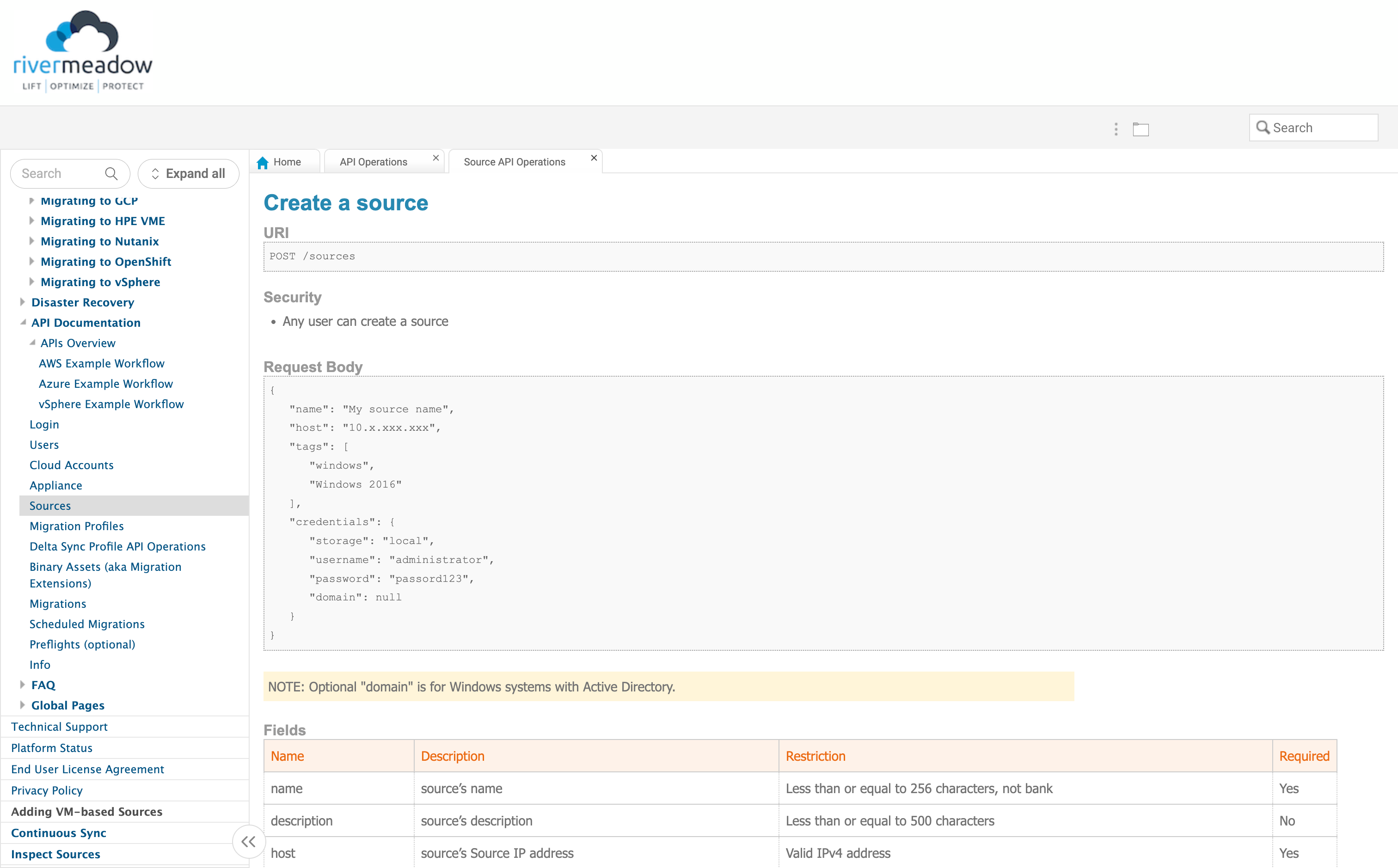
- REST API: Source servers for OS based migrations (agent) can be added in bulk in a programattic fashion using the RiverMeadow REST API.
- VMware vSphere: Source servers for VM based migrations (agentless) can be added in bulk via the RiverMeadow integration with VMware vSphere to query the vSphere virtual machines using the vSphere REST API.
Prior to adding your source servers, ensure that you meet all of the network requirements.
- UI
- CSV
- API
RiverMeadow UI
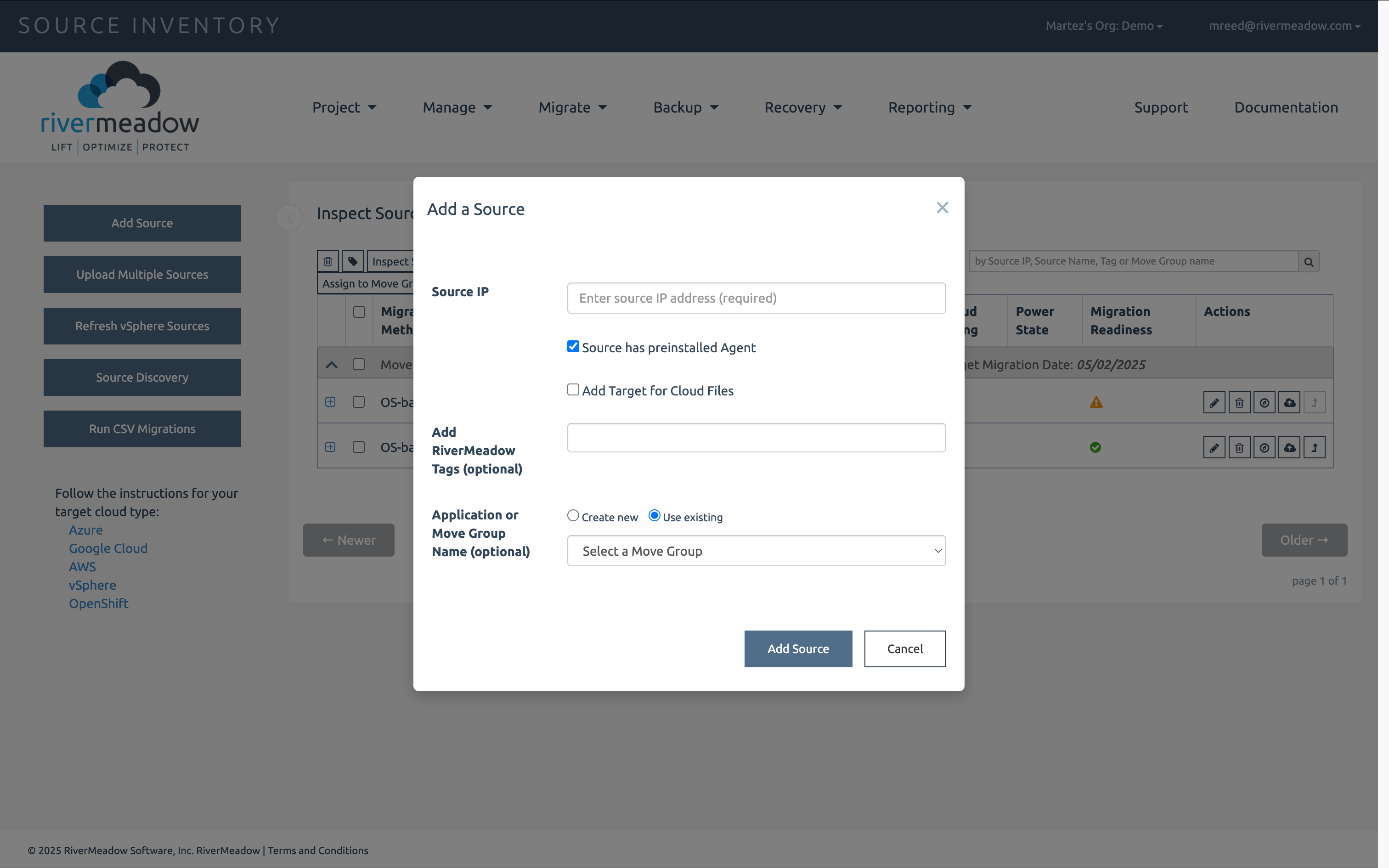
Source servers can be individually added to the source inventory using the RiverMeadow UI.
- Source IP Address: The IP Address of the source server. This IP address must be reachable from the migration appliance and the target worker.
- Pre-Installed Agent: Whether the RiverMeadow agent has already been installed on the source server using a method seperate from the automated agent installation performed by the RiverMeadow platform.
- Store Source Credentials: Whether the RiverMeadow agent has already been installed on the source server using a method seperate from the automated agent installation performed by the RiverMeadow platform.
- Username (Optional): The username of the user account used to automate the installation of the RiverMeadow agent on the source server.
- Password (Optional): The password of the user account used to automate the installation of the RiverMeadow agent on the source server.
- Tags: RiverMeadow tags associated with the inventoried source server for organization or filtering purposes.
RiverMeadow tags are used only by the platform are not applied to the source or target servers.
CSV Upload
Source servers can be added in bulk using a Comma Seperated Value (CSV) file.
Reference Fields
The following table details the supported fields for a CSV upload:
| Name | Description |
|---|---|
| host | source IP address reachable from the migration appliance |
| username | the username used to connect to each source |
| password | the password used to connect to each source |
| private_key | the private key used to connect to each source |
| agent | whether or not you want to pre-install an RMS agent. "yes" = pre-install an RMS agent; "no" = do not pre-install an RMS agent. |
| domain | the source machine's domain name |
| move_group_name | the name of the Move Group you previously created |
| target_migration_date | the target migration date |
| assigned_resource_email | the email address for the person assigned to the move group |
| cloud_sizing | the target cloud and the size of the instance to be created for the source on the target cloud |
| tags | the RiverMeadow tags to associate with the source machine |
REST API
The RiverMeadow REST API can be used to programatically create . This enables source servers to be added using popular programming languages such as Python or Golang